


We independently review all recommendations. Purchases made through our links may earn us an affiliate commission. Here’s how it works.
Most students are best served by the Kindle Paperwhite. If you read mostly novels and text, it does the job at $129.99. Younger kids do better with the Kindle Kids bundle. College students who work from PDFs should look at the Kobo Elipsa 2E or Kindle Scribe, and research students should read the academic papers section before buying anything.
The right choice depends on what you read, not on your grade level alone. A novel-heavy reading list and a physics textbook need very different screens.
How we pick these: we don't run lab tests, and we don't claim hands-on use unless we say so. Specs come from manufacturer and retailer pages, and real-world notes come from owner reports on MobileRead and Reddit. Prices are pulled live from our Amazon price tracker and can change at any time, so confirm them on Amazon before you buy. Our method
Quick picks by student type

Includes a cover, 2-year replacement guarantee and 6 months of Amazon Kids+.
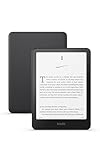
7-inch waterproof screen that handles most reading lists.

6-inch screen with warm light, waterproofing and built-in library borrowing.

Adds physical page-turn buttons, color and library borrowing.

10.3-inch screen with open file formats and PDF markup.

10.2-inch screen for note-taking if you buy most books from Amazon.
Reading research papers? The graduate student section below compares the Kobo Elipsa 2E with Android e-readers like the Boox Go 10.3.
Best for high school students and teens
A high schooler needs a reader that survives a backpack and handles a mix of assigned novels and personal reading. You don't need a stylus or a 10-inch screen for that.
The Kindle Paperwhite (2024) is the safest default. Amazon lists a 7-inch glare-free screen with 16GB of storage, IPX8 waterproofing, a warm light that shifts from white to amber, and battery life of up to 12 weeks, based on half an hour of reading a day with wireless off. The 7-inch screen is the largest in this price range, and the waterproofing matters for a bag that also carries water bottles.
The Kobo Clara BW is the cheaper alternative. Kobo lists a 6-inch glare-free E Ink Carta 1300 HD screen, ComfortLight PRO with adjustable brightness and color temperature, 16GB of storage, IPX8 waterproofing, and up to 53 days of battery (30 minutes of reading a day, light at 10%, wireless off). Built-in Libby integration lets you borrow library eBooks, which helps when a school or public library has the assigned book, though Kobo says Libby audiobooks can't be played on Kobo eReaders. The tradeoff against the Paperwhite is a smaller screen.
The basic Kindle (2024) is the cheapest way in. Amazon lists a 6-inch 300 ppi screen, 16GB of storage, a front light it says is 25% brighter than before, and battery life of up to 6 weeks. Amazon's comparison table does not mark it as waterproof, and a separate listing without lockscreen ads costs more, so check which version you're buying.
Best for elementary and younger students
For children, the hardware matters less than what comes with it. Amazon's Kindle Kids bundle includes the Kindle (2024 release), a kid-friendly cover, a 6-month Amazon Kids+ subscription and a 2-year worry-free guarantee: if it breaks, Amazon says it will replace it for free.
Two things to check before you buy:
- Kids+ renews at a monthly price after the trial. Amazon's listings show different post-trial prices, so check the price on Amazon before you subscribe.
- Kids+ is aimed at ages 3 to 12, according to Amazon, so older students may outgrow the included library.
Amazon also sells a Kids version of the Paperwhite with the larger 7-inch screen, which suits older children who read a lot.
Best for college students who mostly read text
If your courses are novels, articles and text-based readings, a Paperwhite handles them and costs half of what the large note-taking devices do. The Kobo Libra Colour is the step up for students who want physical page-turn buttons, a color display for charts and color-coded highlights, IPX8 waterproofing and built-in library borrowing. It's smaller at 7 inches, so dense PDFs mean zooming, and the Kobo Stylus 2 for note-taking is an extra purchase.
Kindle Paperwhite
Amazon lists a 7-inch glare-free screen and up to 12 weeks of battery life. The warm light is useful for reading in bed. It has no stylus support, so you're limited to highlights and typed notes, which suits literature and humanities courses but not diagrams or equations. PDFs are readable but cramped. Plan to zoom on technical material.
Buy this if: you read mostly novels or text-based material and want a simple device.
Kobo Libra Colour
The 7-inch Kaleido 3 display is 300 ppi for black and white and 150 ppi for color, according to Kobo. Physical page-turn buttons make one-handed reading easier on long study sessions, and our guide to e-readers with page-turn buttons compares every reader that has them. The color layer makes the screen slightly darker than a black-and-white panel, so expect to use the front light more. Note-taking works but is basic, with no split-screen reading and notes like you get on Android devices.
Buy this if: you want premium reading, light annotation and library access without paying for a 10-inch device.
Best for textbooks and PDFs
Textbooks are where small screens fail. Under about 8 inches, multi-column pages and diagrams force constant zooming. Two 10-inch devices are the main options.
Kobo Elipsa 2E
The 10.3-inch screen handles PDFs, and Kobo's eReaders support EPUB, PDF, MOBI and CBZ natively, according to Kobo's file-format page. OverDrive and Libby are built into Kobo eReaders.
Kobo's own pages are mixed on highlighting. Its help page says you can't highlight text in a PDF, while the product page says you can mark up, highlight and jot notes in eBooks and PDFs. MobileRead users report that text PDFs are the weak spot and scanned PDFs work better, and one reported no controls for pen width or style on PDFs. Kobo also says the stylus can't write notes on DRM-protected PDFs or PDFs with annotations disabled, which matters if your textbook comes from a publisher portal. Kobo warns that resetting or signing out of your eReader erases annotations, so back up anything important.
Buy this if: you use several ebook sources, borrow from libraries, or want large-screen PDF markup and can live without true text highlighting.
Kindle Scribe
The 10.2-inch Kindle Scribe in our price tracker is the earlier model, currently $399.99. Amazon now sells 11-inch Scribe models, including a Colorsoft version with a color display, and lists the pen as included. Prices and storage options differ between the models, so compare them on Amazon before deciding.
The Scribe's main appeal is simplicity inside the Amazon ecosystem: notebooks, documents and books in one place. The Amazon pages we checked don't spell out PDF markup or margin-note support, so confirm that on the spec page if it matters for your courses.
Buy this if: you buy most books from Amazon, take handwritten notes, and want something that works without setup.
Best for graduate students and academic papers
Research papers are mostly two-column PDFs, so what matters is zooming, margin handling and how the device copes with long files.
- Kobo Elipsa 2E: a good fit for markup, forms and signing, with the highlighting limits described above.
- Boox Go 10.3 (Android): Boox's shop lists two generations. The original has a 10.3-inch 300 ppi screen, Android 12, no front light, supports PDF and CBZ, and includes a stylus. The Gen II runs Android 15, and its Lumi version adds a front light. Because it runs Android, it also supports a wide range of formats and apps. A MobileRead user who reads research papers on a 10.3-inch Boox Note-series device says a “crop zoom” feature removes empty margins, but dense IEEE-style papers still take good eyes. That was a different Boox model, so treat it as a general indication. Prices differ by version, so check Boox's shop or Amazon.
- Kindle Scribe: an option if you work inside Amazon's ecosystem. The Kindle Scribe section above covers its limits.
Most papers in most fields don't need color, according to one MobileRead user, so you can skip the color models and the price that comes with them.
Student e-readers compared side by side
Specs come from Amazon and Kobo product pages. Battery figures are the makers' own ratings, based on 30 minutes of reading a day.
| Our pick | ||||
|---|---|---|---|---|
| Best for | ||||
| Best for | Ages 3 to 12 | Novels and text | Buttons, color, light notes | Textbooks and PDF markup |
| Screen | ||||
| Screen | 6-inch | 7-inch | 7-inch color | 10.3-inch |
| Stylus | ||||
| Stylus | No | No | Stylus 2, sold separately | Stylus 2 included |
| Page-turn buttons | ||||
| Page-turn buttons | No | No | Yes | No |
| Waterproof | ||||
| Waterproof | Not listed | IPX8 | IPX8 | No |
| Storage | ||||
| Storage | 16GB | 16GB | 32GB | 32GB |
| Library borrowing | ||||
| Library borrowing | Libby in the US | Libby in the US | Built-in Libby | Built-in Libby |
| Battery (maker) | ||||
| Battery (maker) | Up to 6 weeks | Up to 12 weeks | Up to 40 days | Weeks, no figure listed |
| Extras | ||||
| Extras | Cover, 6 months of Kids+, 2-year guarantee | Warm light | Color highlights | Notebooks, PDF markup |
| Price | ||||
| Price | $149.99-17% as of Nov 25, 11:52 pm |
$129.99-35% as of Nov 26, 8:39 am |
$229.99-11% as of Nov 25, 8:55 pm |
$399.99 as of Nov 25, 8:55 pm |
What actually matters when choosing
- Screen size: under 8 inches works for novels and text. Past that, 10 inches or more cuts the zooming on textbooks and PDFs.
- Battery: all of these last weeks. The gap between 4 and 12 weeks matters less than file format and screen size.
- Note-taking: if you type your notes, you don't need a stylus device. Highlights and typed notes work on every model here.
- File flexibility: if you borrow library books or download papers, open formats matter more. Kobo and Boox accept far more than Kindle.
- Warm light and waterproofing: worth having for nighttime study and bags, and these separate the Paperwhite and Clara BW from the basic Kindle.
Frequently asked questions
Do I need the stylus version?
Only if you regularly handwrite notes or mark up PDFs. If you type your notes in class, a basic model is enough.
Can these replace my laptop?
No. They're reading and annotation tools. You'll still need a laptop for writing papers and coursework that requires real computing.
What about eye strain?
E Ink panels reflect ambient light instead of emitting it, so they avoid the backlight glare of laptop or phone screens. Page turns can cause a brief flicker, but nothing like an LCD at close range.
Can I borrow textbooks from my library?
Kobo has OverDrive built in. Boox can run the Libby app. Kindles get library books through Libby and Amazon, for U.S. libraries only. All three work, but Kobo and Boox are simpler. Our guide to e-readers for library books covers the details.
Is a refurbished e-reader worth it?
Often yes, if it comes with a warranty. Amazon's certified refurbished Kindles carry a warranty, and Kobo and Boox refurbs are harder to find. Check the warranty terms before you buy.
What to buy
- Elementary and middle school: Kindle Kids ($149.99), for the cover, warranty and Kids+ trial.
- High school and most students: Kindle Paperwhite at $129.99, or the Kobo Clara BW at $159.99 to save money.
- College, reading-first: Paperwhite, or the Kobo Libra Colour if you want buttons, color and library borrowing.
- Textbooks and PDFs: Kobo Elipsa 2E or Kindle Scribe, depending on whether you prefer open formats or the Amazon ecosystem.
- Research papers: Elipsa 2E or an Android e-reader like the Boox Go 10.3.
For every category, start with our guide to the best e-reader for every type of reader. Still comparing brands? Our Kindle vs Kobo vs Boox comparison covers the ecosystems. If price is the main constraint, see our best cheap e-readers under $200. For heavy note-takers, our reMarkable Paper Pro review covers a purpose-built alternative. Wondering whether a cheap e-reader is enough for school? Our guide on whether cheap e-readers are worth it covers who should skip them.
Sources (17)
- Amazon: Kindle Paperwhite listing, Kindle (2024) listing, Kindle Kids listing, Kindle Scribe listing, Kindle Scribe Colorsoft listing
- Kobo: Kobo Clara BW page, Kobo Libra Colour page, Kobo Elipsa 2E page, File formats Kobo supports, Writing notes with Kobo Stylus, Highlighting text, About the Libby app
- BOOX: Go 10.3 shop page, Go 10.3 (Gen II) shop page
- MobileRead owner threads: E-readers for academic papers and note taking, Elipsa 2E: state of the device, E-reader for highlighting PDFs