

We independently review all recommendations. Purchases made through our links may earn us an affiliate commission. Here’s how it works.
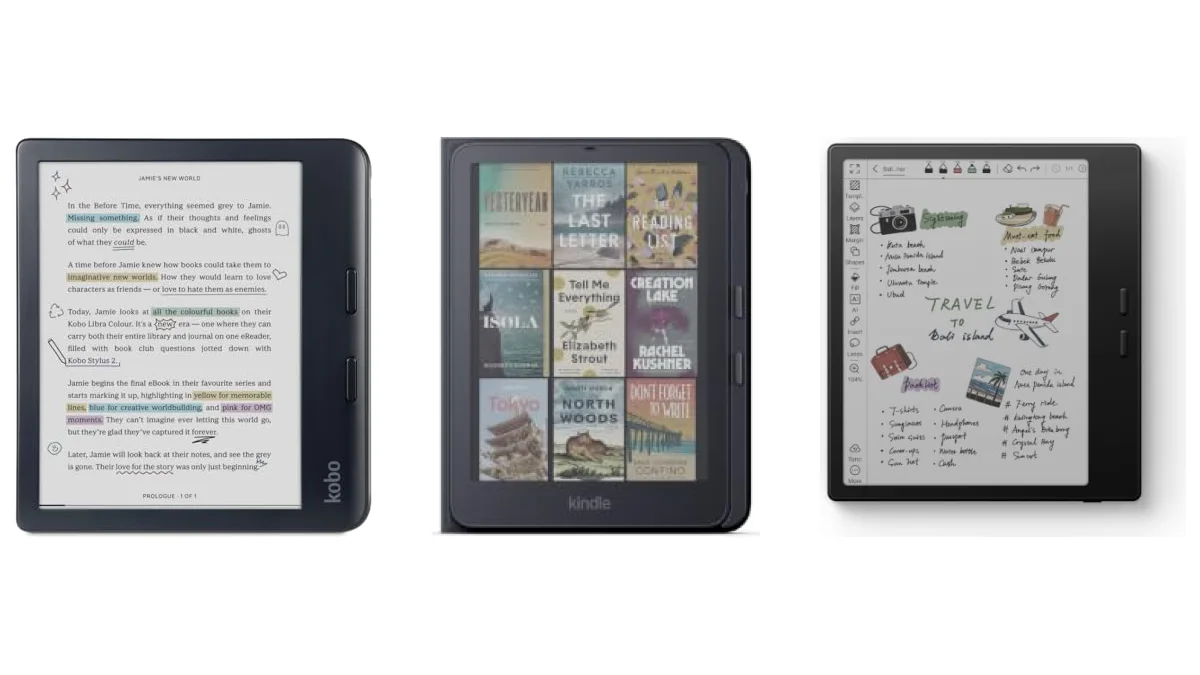
The best e-reader with page-turn buttons is the Kobo Libra Colour: two physical buttons on a 7-inch, waterproof color reader.
No Kindle has buttons built in, but Amazon’s new Page Turn Cover adds two to the 2026 Kindle Paperwhite Signature Edition and Colorsoft Signature Edition. PocketBook says all of its readers have buttons, and BOOX has them on its Android readers.
Choose a Kobo
if you want the buttons built into the reader
- You want buttons without buying an accessory
- You borrow library books (Libby is built in)
- You read EPUB files or shop in more than one store
Our pick
Kobo Libra Colour
Choose a Kindle
if your books are already on Amazon
- You buy Kindle books or use Kindle+
- You’re happy to add a cover for the buttons
- You want a high-contrast black-and-white screen
Our pick
Kindle Paperwhite Signature + Page Turn Cover
How we compared We haven’t tested these readers ourselves. This guide uses the makers’ own announcements, listings, help pages and manuals, and every source is listed at the end.
Side by side
Every e-reader with page-turn buttons, compared
| E-reader | Buttons | Screen | Waterproof | Price on Amazon |
|---|---|---|---|---|
| Kobo Libra Colour | Two, on the side Built in | 7-inch color | IPX8 | $229.99 |
| Kindle Paperwhite Signature + Page Turn Cover | Two, on the cover | 7-inch black and white | IPX8, both | $249.99 + $79.99 |
| PocketBook Verse | Below the screen | 6-inch black and white | Not listed | $139.00 Cheapest |
| PocketBook Era Color | Side panel, either hand | 7-inch color | IPX8 | $269.00 |
| BOOX Go Color 7 Gen II | Two, on the side | 7-inch color | Not listed | $289.99 |
| BOOX Palma 3 | Volume keys | 6.13-inch black and white | Not listed | $339.99 |
Built-in buttons: Kobo, PocketBook and BOOX
Kindle: only with the Page Turn Cover or a remote
Best overall
1. Kobo Libra Colour: best e-reader with page-turn buttons
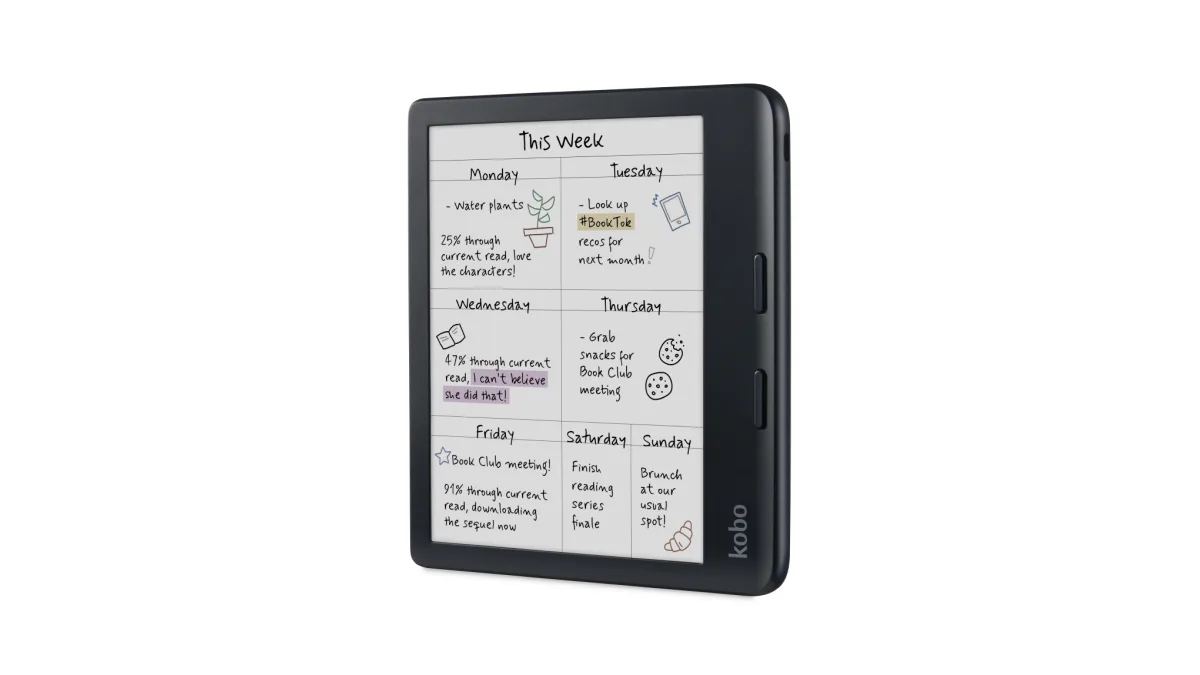
The Libra Colour has two physical page-turn buttons on one side, and Kobo lists left and right screen rotation, so you can hold it in either hand with the buttons under your thumb. It has a 7-inch color E Ink Kaleido 3 screen, 32GB of storage and IPX8 waterproofing, which Kobo says covers up to 60 minutes in up to 2 meters of water.
It also has Libby built in for library books, reads EPUB files and works with the Kobo Stylus 2, sold separately. Color helps with comics and covers, but plain text is a little sharper on a black-and-white screen. It costs $229.99. Our Kindle vs Kobo guide covers the store and format differences.
Kindle
2. Kindle Paperwhite Signature + Page Turn Cover: the only Kindle with buttons
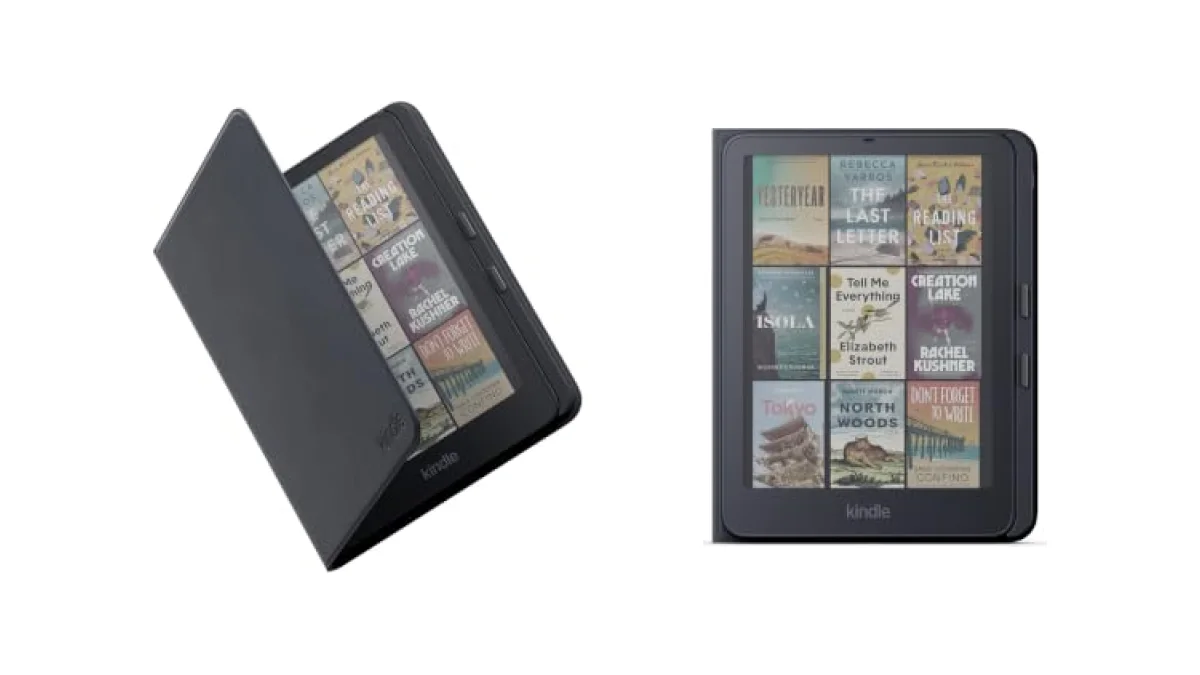
Amazon announced the Kindle Page Turn Cover with its 2026 lineup on October 1. It’s a magnetic cover with two physical page-turn buttons, and it connects through pogo pins, so Amazon says there’s no battery, no pairing and no charging: you attach it and the buttons work. You choose which button turns forward and which turns back in the Kindle settings.
Like the Kindle, the cover is rated IPX8, it folds back flat for one-handed reading, and it wakes the Kindle when you open it. It comes in Graphite, Seaglass Green and Fig, and costs $79.99.
Check your model Amazon says the Page Turn Cover fits the 2026 Kindle Paperwhite Signature Edition and Kindle Colorsoft Signature Edition only. It doesn’t fit the regular 2026 Paperwhite, the basic Kindle or older Kindles. For those, see Kindle Click below.
The Paperwhite Signature Edition ($249.99) has a 7-inch high-contrast screen, an auto-adjusting front light, 32GB of storage, no lockscreen ads and up to 12 weeks of battery, and its battery can be replaced. If you want color, the Colorsoft Signature Edition ($319.99) takes the same cover. Our Kindle vs Kindle Paperwhite comparison explains the rest of the lineup.
Budget
3. PocketBook Verse: cheapest e-reader with buttons
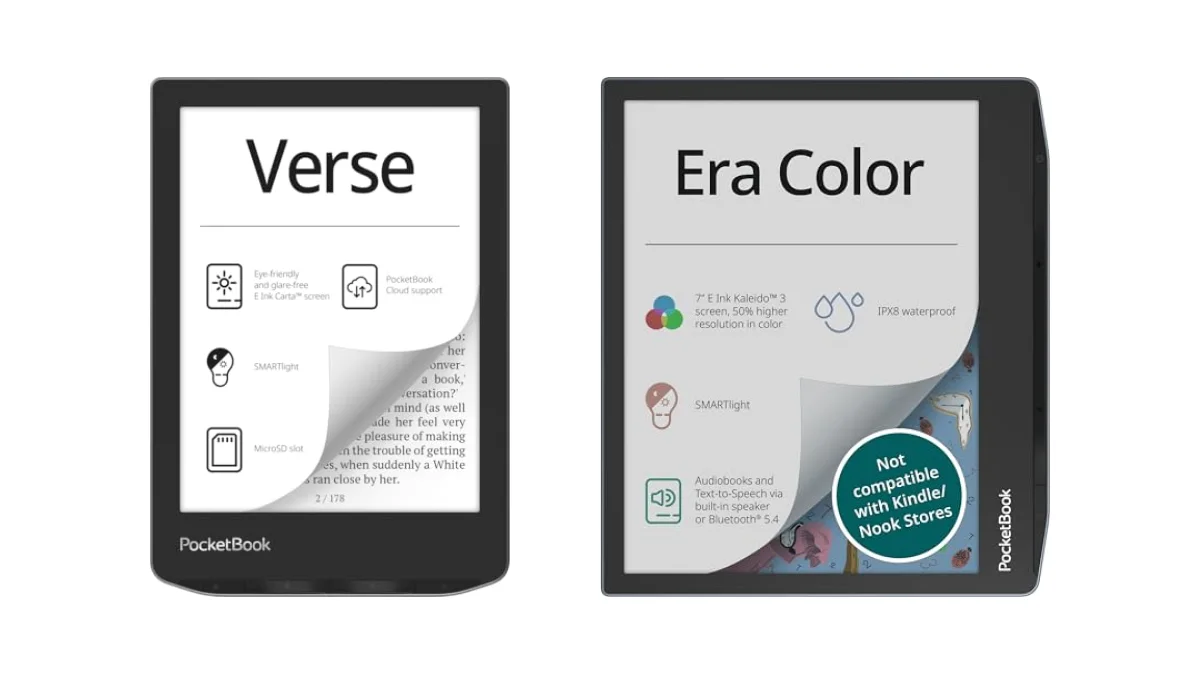
PocketBook says every reader it currently makes has mechanical page-turn buttons, and the Verse is the least expensive one we track, at $139.00. Its buttons sit below a 6-inch E Ink Carta HD touchscreen, and it has a warm and cool SMARTlight, 8GB of storage plus a microSD slot for up to 128GB, and up to a month of battery, according to its listing.
It reads 25 formats, including EPUB, PDF and comic files, without converting them. Its listing doesn’t mention waterproofing. If you want color and IPX8, the Verse Pro Color ($185.00) also has forward and back buttons, according to its manual. Our cheap e-readers under $200 guide has more low-cost picks.
Either hand
4. PocketBook Era Color: best for left-handed readers
Instead of buttons below the screen, the Era Color has a side control panel with mechanical buttons that PocketBook says suits both right- and left-handed readers. It has a 7-inch color E Ink Kaleido 3 screen, 32GB of storage, IPX8 waterproofing, a built-in speaker and Bluetooth for audiobooks and text-to-speech.
It costs $269.00. If you don’t need color, the black-and-white Era Lite ($199.00) also has side buttons, but its listing rates it IPX4, which covers splashes rather than a dunk. On PocketBook readers, you can change what each button does under Settings, Personalize, Key mapping, according to the user manuals.
Android
5. BOOX Go Color 7 Gen II: buttons with Android apps
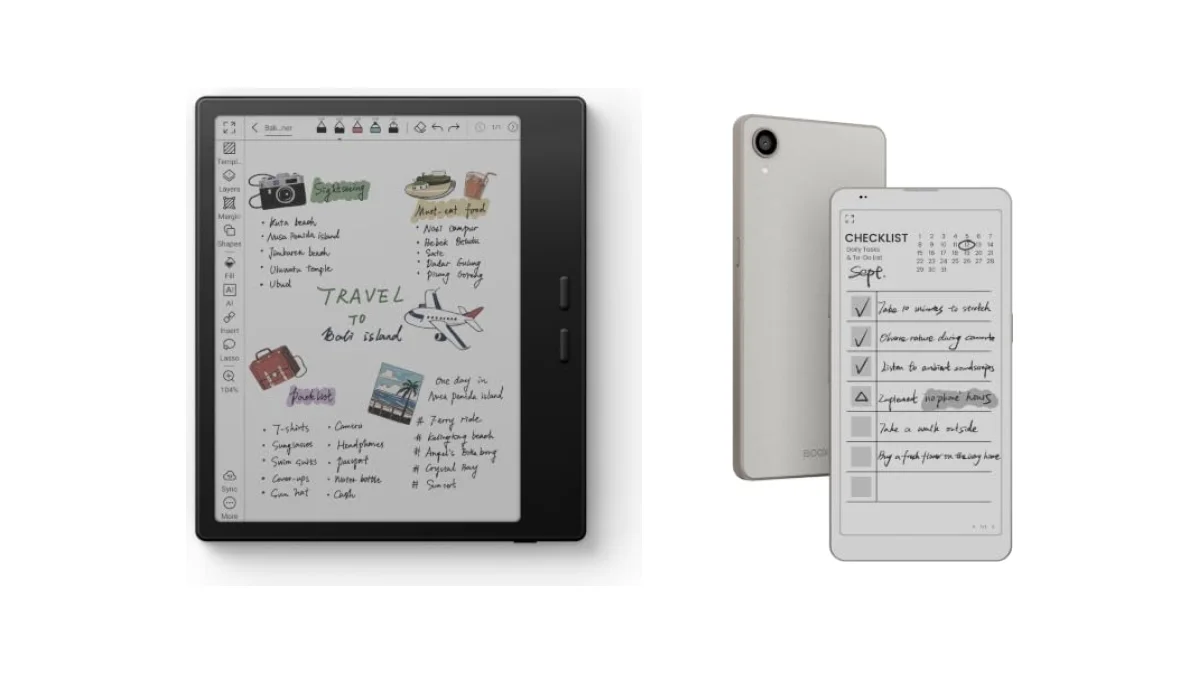
The Go Color 7 Gen II has two page-turn buttons on its side, a 7-inch color E Ink Kaleido 3 screen (300 ppi in black and white, 150 ppi in color), 64GB of storage and a microSD slot. It runs Android 13 and supports third-party apps, so you can install reading apps from other stores, such as Kindle or Libby.
It also works with BOOX’s InkSense stylus, sold separately. Its listing doesn’t mention waterproofing. We haven’t confirmed how the buttons behave in every third-party app, so if you plan to read in a particular app, check that it supports button page turns. It costs $289.99. Our Kindle vs Kobo vs Boox comparison explains the trade-offs of an Android reader.
Pocket-sized
6. BOOX Palma 3: phone-sized, with volume-key page turns
The Palma 3 is shaped like a phone, with a 6.13-inch black-and-white E Ink screen at 300 ppi. Its volume keys double as page-turn buttons, and BOOX adds a customizable function button and a fingerprint power button. It runs Android 16 and has 128GB of storage.
It costs $339.99. The Palma 2 Pro ($399.99) has the same volume-key page turns with a color screen. Neither listing mentions waterproofing.
Remotes
No buttons? Add a page-turn remote
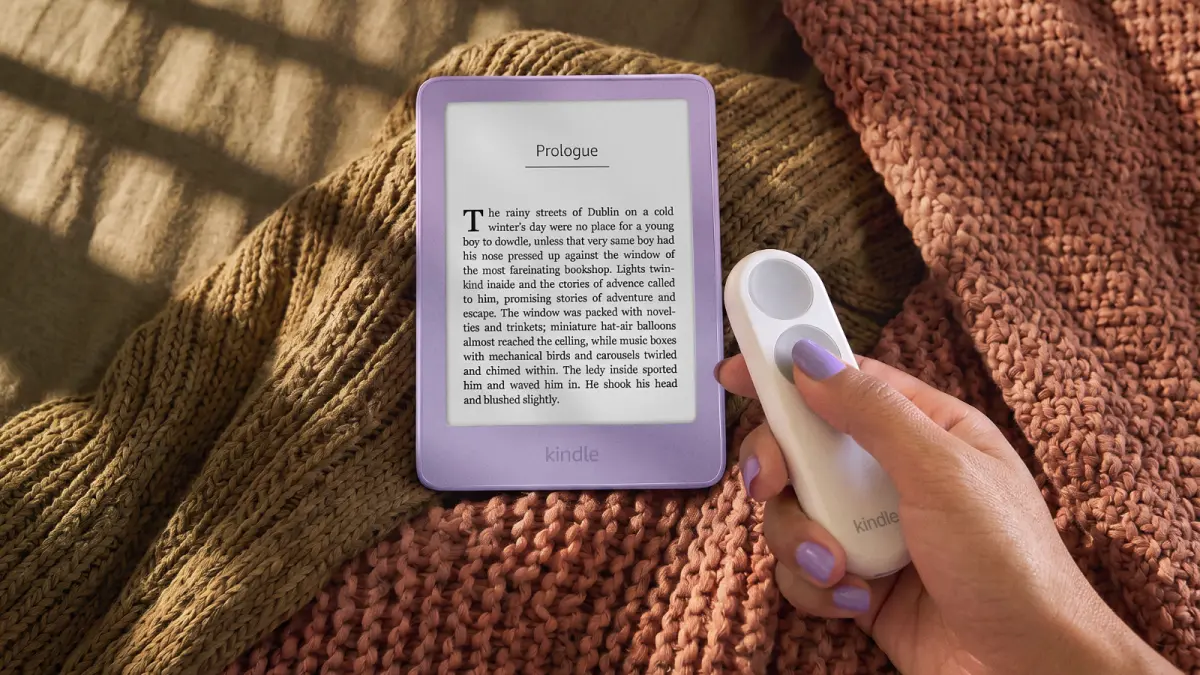
Kindle Click
Kindle Click is Amazon’s Bluetooth page-turn remote, and it works with any Kindle from 2024 or later, including the basic Kindle and the regular Paperwhite. It has large forward and back buttons, side buttons for brightness, and pressing both side buttons puts the Kindle to sleep. Amazon says it lasts weeks on a charge over USB-C. It costs $34.99.
Kobo Remote
Kobo’s own Bluetooth remote works with its Bluetooth readers, including the Clara BW, Clara Colour, Libra Colour, Sage and Elipsa 2E, according to Kobo. It costs $23.99, and it’s the cheapest way to add buttons to a Kobo Clara.
Third-party remotes also exist for other readers. Our e-reader accessories guide covers them.
Verdict
Which should you buy?
- You want buttons built in: the Kobo Libra Colour, with color, waterproofing and Libby.
- Your books are on Kindle: the Kindle Paperwhite Signature with the Page Turn Cover. For any other Kindle from 2024 or later, Kindle Click.
- You want to spend the least: the PocketBook Verse.
- You’re left-handed or switch hands: the PocketBook Era Color, with its side buttons.
- You want Android apps: the BOOX Go Color 7 Gen II, or the Palma 3 if you want something pocket-sized.
- You read in the bath: the Libra Colour, the Kindle with its cover and the Era Color are all IPX8. Our waterproof e-readers guide has more.
Kobo Libra Colour
Why buy it
- Page-turn buttons built in
- 7-inch color screen
- Libby built in, reads EPUB
- IPX8 waterproof, 32GB
Why not
- Color screen is less sharp for plain text
- No Kindle store
- Stylus costs extra
Kindle Paperwhite Signature + Page Turn Cover
Why buy it
- Real buttons on a Kindle
- No battery or pairing for the cover
- Choose which button goes forward
- Both IPX8 waterproof
Why not
- The cover costs extra
- Fits Signature Editions only
- U.S. library books only, through Amazon
Still deciding? Our guide to the best e-readers of 2026 covers every category, and our best e-readers for library books explains how Libby works on each brand. For comics, see the best e-readers for manga.
FAQs
Does any Kindle have page-turn buttons?
Does the Kindle Page Turn Cover fit the regular Paperwhite?
Which Kobo e-readers have page-turn buttons?
What is the cheapest e-reader with page-turn buttons?
Can you change which button turns the page forward?
Are page-turn buttons worth it?
Sources (17)
- Amazon: The new Amazon Kindle lineup (October 1, 2026), Kindle Page Turn Cover, Kindle Click, How to pair and use your Kindle Click, Kindle Paperwhite Signature Edition (2026)
- Kobo: Kobo eReaders with buttons, Kobo Remote, Kobo Libra Colour listing
- PocketBook: PocketBook products, PocketBook Era Color announcement, PocketBook Era Lite announcement, Verse Pro Color user manual, PocketBook Verse listing
- BOOX: BOOX Go 7 series, BOOX Palma 2 Pro, Go Color 7 Gen II listing, Palma 3 listing