

We independently review all recommendations. Purchases made through our links may earn us an affiliate commission. Here’s how it works.
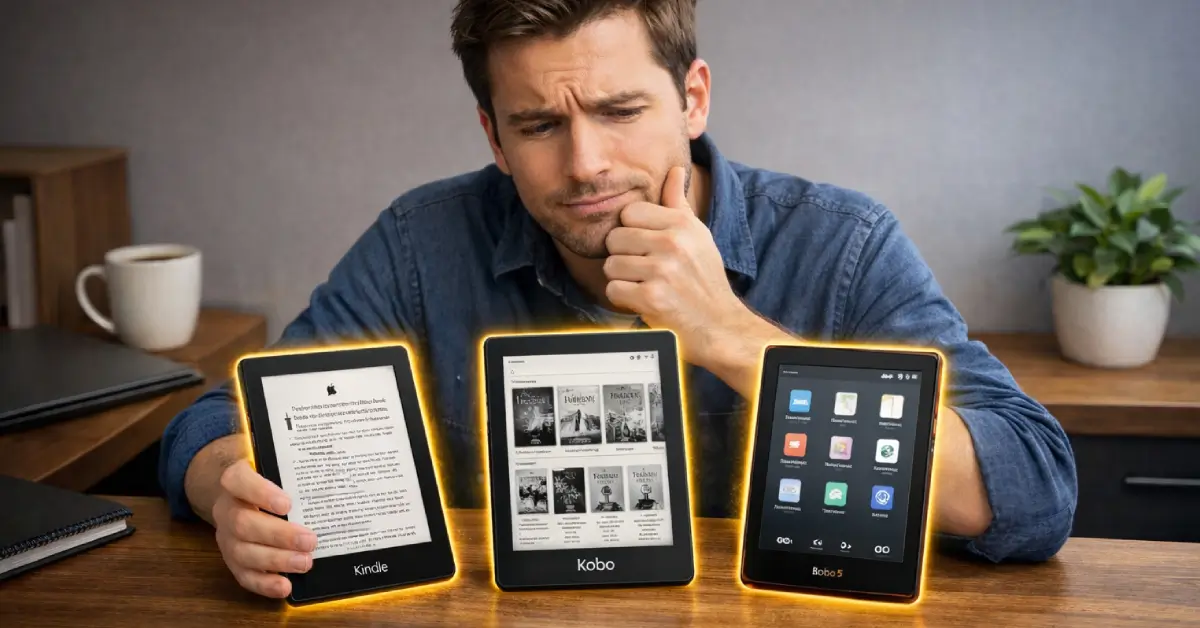
Picking an e-reader used to be simple. Kindle dominated the space, everyone bought one, and that was the end of the conversation. That’s not the case anymore. Kobo has quietly become a genuine alternative, and Boox has carved out a niche for the kind of reader who wants more than just a device that opens ebooks.
So which one do you actually buy? The honest answer is: it depends on how you read, where you get your books, and how much you care about being locked into one company’s ecosystem.
This breakdown covers all three brands in plain terms, no spec-sheet padding.
How we research: manufacturer specs, owner reports from Reddit and MobileRead, and independent video reviews. We don't claim hands-on testing unless stated. Our method
Quick picks

7-inch waterproof screen with a polished, no-fuss ecosystem.

Built-in Libby, native EPUB, CBZ and CBR, IPX8 waterproof.

Runs Android apps like Kindle and Libby on a 6.13-inch color screen.
How They Compare Side by Side
| Screen | |||
|---|---|---|---|
| Screen | 7-inch | 7-inch color | 6.13-inch color |
| Waterproof | |||
| Waterproof | IPX8 (Amazon) | IPX8 (Kobo) | No rating listed |
| System | |||
| System | Amazon software | Kobo software | Android 15 with apps |
| Native EPUB | |||
| Native EPUB | No | Yes | Via apps |
| Library borrowing | |||
| Library borrowing | Libby in the US | Built-in Libby | Libby app |
| Stylus | |||
| Stylus | Scribe models only | Stylus 2, sold separately | InkSense Plus, sold separately |
| Battery (maker) | |||
| Battery (maker) | Up to 12 weeks | Up to 40 days | 3,950 mAh, no runtime listed |
| Price | |||
| Price | $199.99 as of Oct 25, 2:36 am |
$257.99 as of Oct 25, 12:36 am |
$399.99 as of Oct 25, 3:44 am |
Amazon Kindle: The Safe, Polished Choice
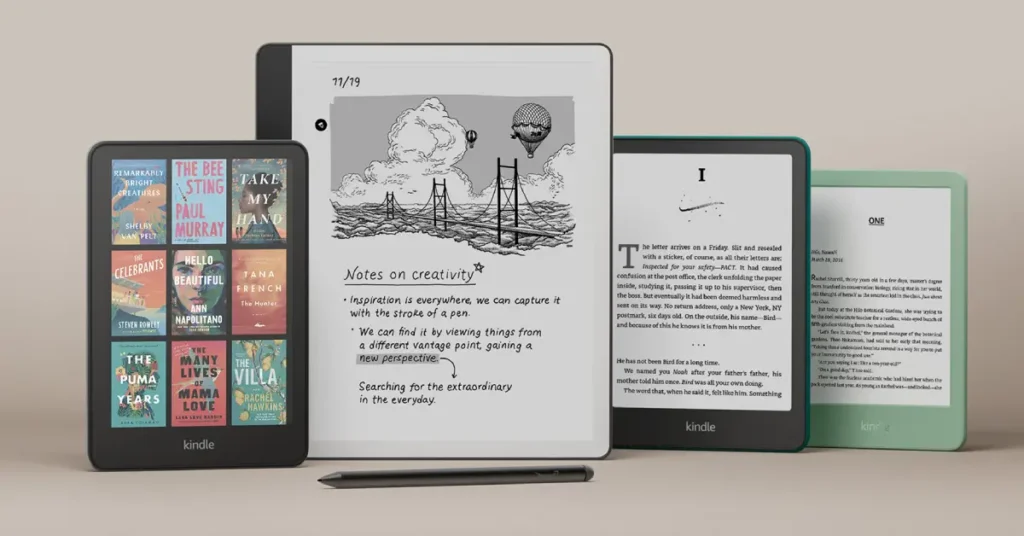
The Kindle line has expanded a lot. You’ve got the entry-level Kindle, the Paperwhite (the most popular), the Colorsoft for color e-ink, and the Scribe if you want to write on your device. Most people end up with the Paperwhite, and for good reason. If you’re buying for a child, there are kids’ editions of the Kindle, Paperwhite and Colorsoft too, and our Kindle Kids deals page tracks their current prices.
The screen is sharp at 300 PPI, the warm light works well at night, and the battery lasts weeks. The 12th-gen Paperwhite added a larger 7-inch display, which feels noticeably more comfortable for extended reading sessions. Amazon’s software is polished to a fault. There’s almost nothing to configure, which is either a feature or a frustration depending on who you are.
The Ecosystem Problem
Kindles are tied to Amazon. That sounds obvious, but the implications run deeper than most people realize when they first buy one.
The device reads Amazon’s formats natively: AZW3, MOBI, and KFX. EPUB is the universal standard used by virtually every other bookstore and library on the planet, and Kindles don’t support it natively. You can sideload converted files, but it requires extra steps.
Library borrowing is solid in the US through OverDrive and Libby. Outside the US, the experience gets messier fast. If you borrow a lot of books from your local library and you’re not in North America, the Kindle workflow involves more friction than it should.
The flip side: the Kindle Store is enormous. Millions of titles, competitive pricing, and Kindle Unlimited if you read enough to justify a subscription. The Whispersync feature, which keeps your reading position synced across devices and blends seamlessly with Audible audiobooks, is genuinely convenient if you switch between reading and listening.
Kindle makes the most sense for: People already in the Amazon ecosystem, readers in the US who borrow library books occasionally, or anyone who wants a device that just works without thinking about it.
Kobo: The Better Option for Library Readers and Open Formats
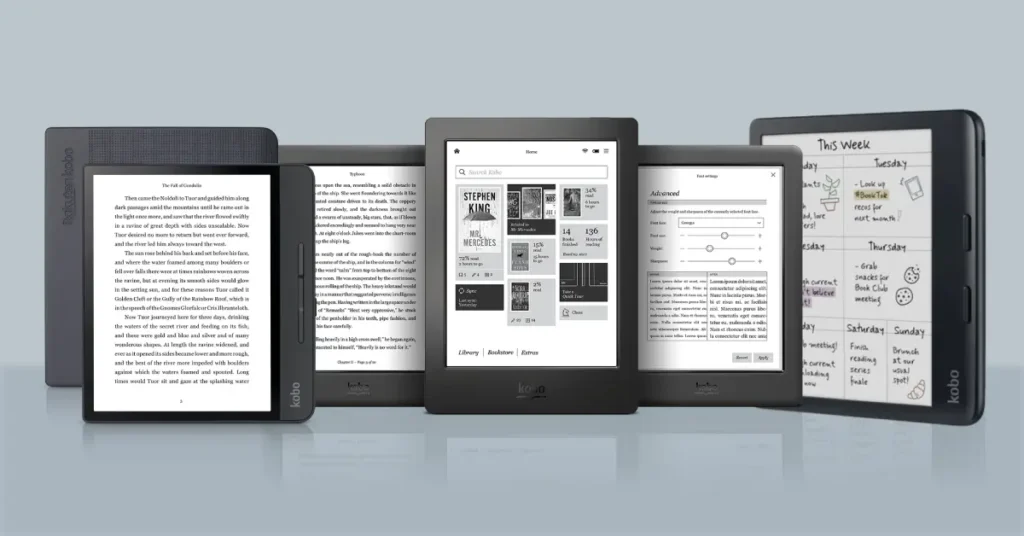
Kobo doesn't get the marketing budget Amazon does, but it's a serious device. The Clara BW, Clara Colour, Libra Colour and Elipsa 2E cover the same range of use cases as Kindle's lineup, and in several areas Kobo actually wins.
The biggest advantage is native EPUB support. Kobo reads the format every bookstore, library, and indie author uses by default. No conversion, no workarounds. You can buy ebooks from Kobo’s own store, from Google Play Books, from Smashwords, from your library’s app, and drop them all on the same device without any friction.
Library borrowing is built into the device. Kobo lists built-in Libby integration on its readers, so you can browse and borrow library eBooks without a computer. For anyone who relies on library books, that alone can make Kobo the better choice over Kindle.
What Kobo Gets Right
The hardware is competitive. Kobo lists the Clara BW at 174 g with a 6-inch screen, which is easy to hold one-handed. ComfortLight PRO adjusts both brightness and color temperature, reducing blue light in the evening, and the Clara BW, Clara Colour and Libra Colour are all rated IPX8 waterproof, according to Kobo. Physical page-turn buttons appear on the Libra Colour, which certain readers strongly prefer.
The interface is clean, and the customization goes deeper than Kindle allows. Font choices, spacing, margins, and line height are all adjustable. Small things, but they matter when you’re reading for hours.
One honest downside: Kobo’s store has fewer titles than Amazon’s. For most books you’ll want to read, it won’t matter. But if you’re hunting for something obscure or you want the deepest backlist access possible, Amazon has the edge there.
Audiobooks work differently. Kobo Audiobooks are available only in select countries and play over Bluetooth headphones or a speaker, and Kobo says audiobooks borrowed through Libby can't be played on Kobo eReaders. If audiobooks are part of your routine, check the specific model and your country before buying.
Kobo makes the most sense for: Library borrowers, readers who buy from multiple stores, anyone outside the US who wants a clean e-reading experience, and people who want more control over how their books look on screen.
Boox: The Android E-Reader for Power Users
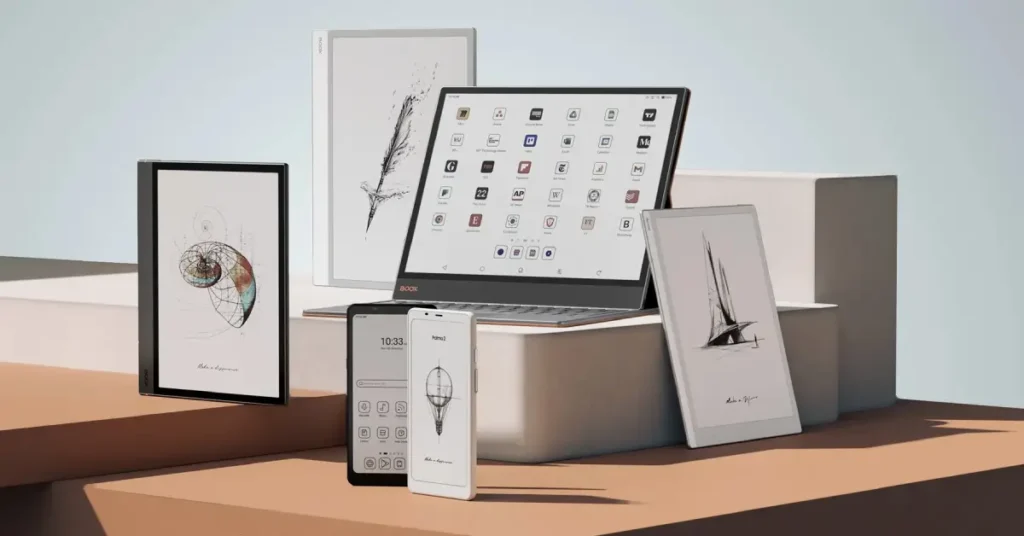
Onyx Boox makes e-readers that run a full Android operating system. That single fact separates them from Kindle and Kobo entirely. The Go, Palma and Tab series don't just run their own app. They run apps. Plural. Any app.
Install the Kindle app. Install the Kobo app. Install Libby, Moon+ Reader, Audible, Pocket, or anything else available on Android. Use all of them on the same device. That’s the pitch, and it’s a compelling one for the right kind of reader.
The hardware is capable. Boox lists 300 ppi black-and-white E Ink screens, 128GB of storage on the Palma 2 Pro and Tab Ultra C Pro, microSD expansion on some models, and a stylus in the box with larger devices like the original Go 10.3. If you work with academic PDFs, technical documents, or like to annotate heavily, a larger Boox gives you more flexibility than the Kindle or Kobo lineups.
Where Boox Gets Complicated
The experience is not as plug-and-play as Kindle or Kobo. Running Android on E Ink creates some quirks. Refresh rates are slower than a phone or tablet, and some third-party apps don't behave perfectly on the display type. Owners on MobileRead also report shorter battery life than a dedicated e-reader, and one noted more ghosting that they linked to anti-flicker settings.
Boox devices also cost more. The Palma 2 Pro is $399.99 in our tracker, and Boox's shop lists the Tab Ultra C Pro from $599.99. For what they do, the prices are fair. But you're paying for a device that takes more configuration to get the most out of it.
The lack of a single dedicated storefront is a double-edged situation. Freedom is great until you realize you have five different apps with five different libraries and no unified reading position sync. Whispersync across apps doesn’t exist. You manage it yourself.
If you’re also considering other Android-based open e-readers, the Meebook M8C is another option in this same category worth looking at before committing.
Boox makes the most sense for: Tech-comfortable readers with diverse libraries, students or researchers who annotate PDFs, or anyone who refuses to pick a single reading ecosystem and wants one device that handles all of them.
Boox vs Kobo: Head to Head
Boox vs Kobo is the choice between an Android reader that runs apps and a focused e-reader built for books. Here is how they compare where it matters.
- Reads 15 formats natively, including EPUB, CBZ and CBR (Kobo)
- Built-in Libby integration for library borrowing (Kobo)
- Clara BW, Clara Colour and Libra Colour are IPX8 waterproof (Kobo)
- Simple, focused software, say owners
- Sideloaded books don’t sync between Kobo devices unless you use KOReader, say owners
- Libby audiobooks can’t be played on Kobo (Kobo)
- Smaller bookstore than Amazon’s
- Stylus is an extra purchase on the Libra Colour (Stylus 2 listed at $69.99)
- Runs Android with third-party apps, so you can use Kindle, Libby and others (Boox)
- More refresh and contrast controls, says one owner
- Larger options like the 10.3-inch Go 10.3, with a stylus in the box for the original (Boox)
- Wide format support, including CBZ, CBR and PDF (Boox)
- No waterproof rating on the Boox pages we checked
- Owners report shorter battery life than Kobo or Kindle
- One owner says the Android version stops getting updates early, so verify before buying
- Higher prices: Palma 2 Pro in our tracker, Tab Ultra C Pro from $599.99 at Boox’s shop
Reading and libraries: Kobo is built around reading. It supports 15 file formats natively, including EPUB, CBZ and CBR, and has built-in Libby integration, according to Kobo. On a Boox you read through apps, so you can install the Libby app, plus others forum users mention, such as Hoopla and cloudLibrary.
Apps and flexibility: Boox runs Android with third-party apps, and one forum user notes you can read Amazon books on it without removing the DRM. Kobo's own system does not run other apps.
Screens and refresh: one owner comparing the two said they use the same kind of panel and resolution, with Boox offering more refresh and contrast controls. Both the Libra Colour and the Palma 2 Pro list 300 ppi in black and white and 150 ppi in color.
Battery: Kobo rates the Libra Colour at up to 40 days and the Clara BW at up to 53 days, using light-reading conditions. Boox lists battery capacity (3,950 mAh on the Palma 2 Pro, 4,600 mAh on the Tab Ultra C Pro) but no runtime, and owners report that Boox batteries drain faster.
Water and durability: Kobo's Clara BW, Clara Colour and Libra Colour are IPX8. Boox describes the Go Color 7 as water-repellent, and we found no IP rating on the Boox pages we checked.
Software updates: one MobileRead poster says Boox's Android version stops getting updates because the chip is old, while Boox's own firmware keeps updating. That is a single forum claim, so check Boox's current update policy before buying.
Price: Kobo runs from the Clara BW at $159.99 to the Libra Colour at $257.99 and the Elipsa 2E at $396.95. Boox starts higher: the Palma 2 Pro is $399.99, and the Tab Ultra C Pro is listed from $599.99 at Boox's shop.
Our take: pick Kobo if you mainly read books and borrow from libraries. Pick Boox only if you need Android apps, a bigger screen or built-in stylus note-taking, and accept the battery and update tradeoffs.
Kindle vs Boox in Short
- Kindle: the simplest option and the best fit for Amazon buyers. The Paperwhite is IPX8 waterproof, according to Amazon, and the ecosystem is closed.
- Boox: installs apps, so you can keep your Amazon library in the Kindle app and add other stores, at a higher price and with shorter battery life, according to owners.
- Rule of thumb: if you only buy from Amazon and want it to just work, the Paperwhite is easier. If you want Amazon plus other stores, or PDF work, on one device, a Boox is the alternative.
The Real Question Is How You Actually Read
Three different readers who each buy the “wrong” device will have very different complaints. Someone who spends most of their time borrowing from their city library will find a Kindle unnecessarily complicated. Someone deep in Amazon’s ecosystem who switches to Boox will miss the seamless Whispersync. A Boox user who switches to Kobo will feel boxed in.
If you read mostly purchased ebooks and live in the Amazon world, the Kindle Paperwhite is excellent. If you borrow heavily from libraries or want to shop around for ebooks, Kobo is the more practical choice. If you want one device that doesn’t force you to commit to any single store and you’re comfortable with some tinkering, Boox is hard to beat.
For students researching which device fits an academic lifestyle, the best e-readers for students breakdown covers these and other options in that specific context.
One thing applies to all three: any of them is a better reading experience than a phone or a tablet. The E-Ink screen, the battery life, the lack of notifications pulling you away from the page. That part isn’t up for debate.
Which One Should You Buy?
Buy a Kindle if you want the easiest possible experience and you’re already using Amazon for books or audiobooks. The Kindle Paperwhite is $199.99 right now.
Buy a Kobo if you borrow from libraries, buy books from multiple stores, or just want a device that respects your file choices without any fuss. The Kobo Clara BW is $159.99 right now.
Buy a Boox if you want maximum flexibility, use multiple reading apps, annotate documents regularly, or have tried Kindle and Kobo and found both too limiting. The Boox Palma 2 Pro is $399.99 right now.
No single device wins for everyone. But for the majority of casual readers who just want a great screen and a simple experience, the choice really comes down to Kindle or Kobo. Boox is for the reader who knows exactly why they need it. For specific picks in every category, see our guide to the best e-readers of 2026.
FAQs
Is Boox better than Kobo?
Can I use Libby or the Kindle app on a Boox?
Are Boox e-readers waterproof?
Sources (15)
- Amazon: Kindle Paperwhite listing, Boox Palma 2 Pro listing
- Kobo: Kobo Libra Colour page, Kobo Clara BW page, Kobo Stylus 2, File formats Kobo supports, About the Libby app
- BOOX: Palma 2 Pro, Go Color 7, Go 10.3, Tab Ultra C Pro
- MobileRead owner threads: Small e-reader showdown, Kobo Clara BW or Boox Go 6, Happy Boox users who used Kobos, Convince me to get a Libra 2 over a Boox Page