

We independently review all recommendations. Purchases made through our links may earn us an affiliate commission. Here’s how it works.
The best e-reader for library books is a Kobo, because Libby is built in: you browse, borrow and read library ebooks on the reader itself.
The Kobo Clara BW is the pick for most people, and the Kobo Libra Colour adds page-turn buttons and color. A Kindle only works with U.S. libraries, and if you want library audiobooks or magazines on an E Ink screen, you need an Android reader like the BOOX Palma 2 Pro.
Choose a Kobo
if the library is where most of your books come from
- You want to borrow on the e-reader, without a phone
- You live outside the U.S. (it works in 14 countries)
- You also read EPUB files or shop in more than one store
Our pick
Kobo Clara BW
Choose a Kindle
if you’re in the U.S. and mostly buy from Amazon
- Your library is in the U.S.
- You already buy Kindle books or use Kindle+
- You don’t mind borrowing in Libby and sending to Amazon
Our pick
Kindle Paperwhite (2026)
How we compared We haven’t tested these readers ourselves. This guide uses Libby’s, OverDrive’s and the makers’ own help pages and listings, plus what owners report on the MobileRead forums. Every source is listed at the end.
Side by side
Library books on Kobo vs Kindle
Kobo and Kindle are the two e-readers most people choose between, and they handle library books very differently.
| Library feature | Kobo | Kindle |
|---|---|---|
| Borrow on the e-reader | Yes, Libby is built in Easier | No, borrow in Libby, then send to Kindle |
| Where it works | 14 countries, including the U.S., Canada, UK and Australia Wider | U.S. libraries only |
| Loans from the Libby app | Sync to the Kobo over Wi-Fi | Delivered through your Amazon account |
| Return early | On the e-reader or in Libby | Through Amazon or on the Kindle, not in Libby |
| Library audiobooks | Not supported | Not supported |
| Library magazines | Not supported | Not listed |
| Price on Amazon | Clara BW $159.99 Cheaper | Paperwhite $199.99 with ads |
Kobo wins on borrowing, countries and price
Kindle wins only if you’re in the U.S. and buy from Amazon
For the full store, subscription and file-format comparison, see our Kindle vs Kobo guide.
Best overall
1. Kobo Clara BW: best for most library readers
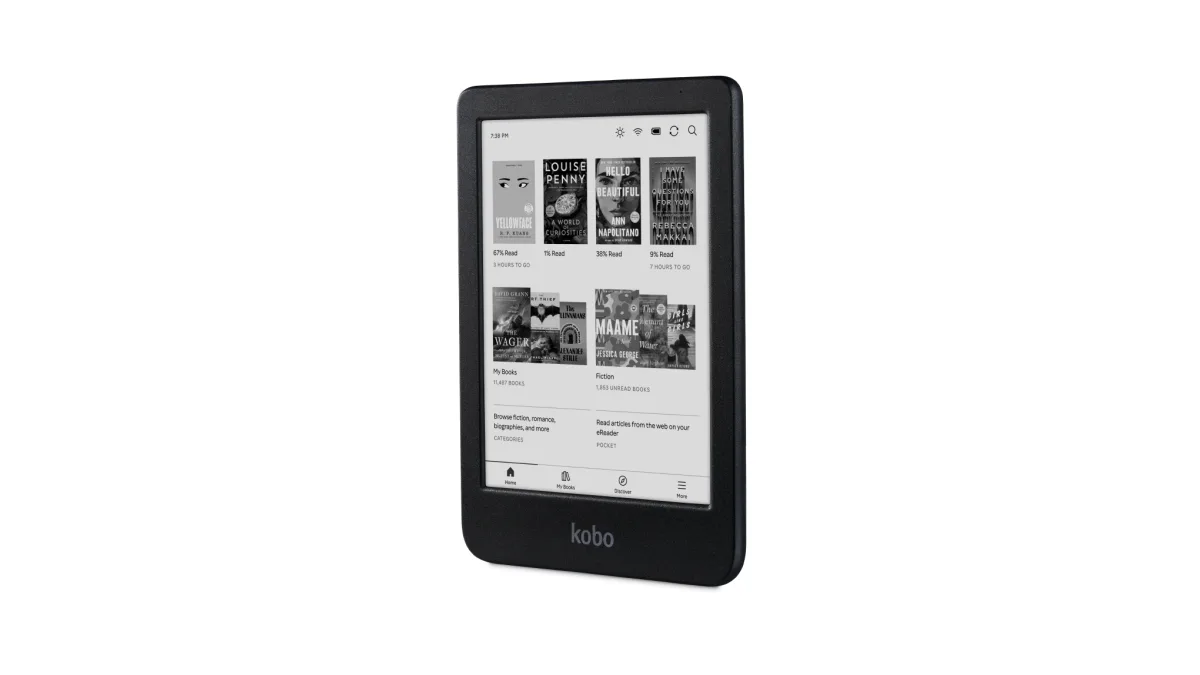
The Clara BW is the least expensive Kobo we track with Libby built in. Sign in with your library card once, and you can browse your library’s catalog, borrow, place holds and read on the reader. If you prefer the Libby app on your phone, loans you make there sync to the Kobo over Wi-Fi, as long as you’re signed in with the same card.
It has a 6-inch E Ink Carta 1300 screen, a ComfortLight PRO warm light, 16GB of storage and IPX8 waterproofing, which Kobo says covers up to 60 minutes in up to 2 meters of water. It has no lockscreen ads, and it costs $159.99 on Amazon.
What owners report On MobileRead, owners say Kobo’s built-in library section works with one library card at a time. One owner wrote in April 2026 that OverDrive stopped allowing email and password sign-in on Kobo in July 2025, which made adding extra cards harder. If you use several libraries, borrow in the Libby app and let the Kobo sync.
Buttons and color
2. Kobo Libra Colour: best Kobo with page buttons
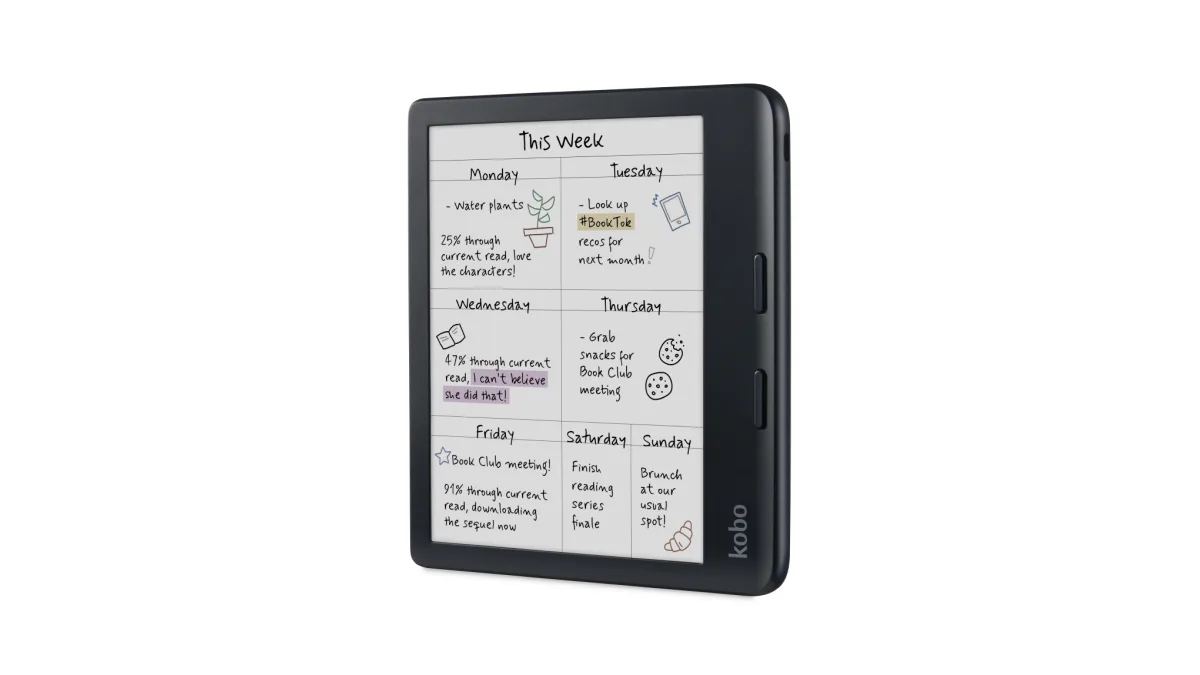
The Libra Colour has the same built-in Libby as the Clara BW, on a bigger 7-inch color E Ink Kaleido 3 screen with physical page-turn buttons. It has 32GB of storage, IPX8 waterproofing and support for the Kobo Stylus 2, sold separately.
Color helps with library picture books, comics and cookbooks, but black-and-white text is sharper on a black-and-white screen. It costs $229.99. If comics are a big part of what you borrow, see our best e-readers for manga and comics.
Kindle
3. Kindle Paperwhite: best for U.S. readers who use Amazon
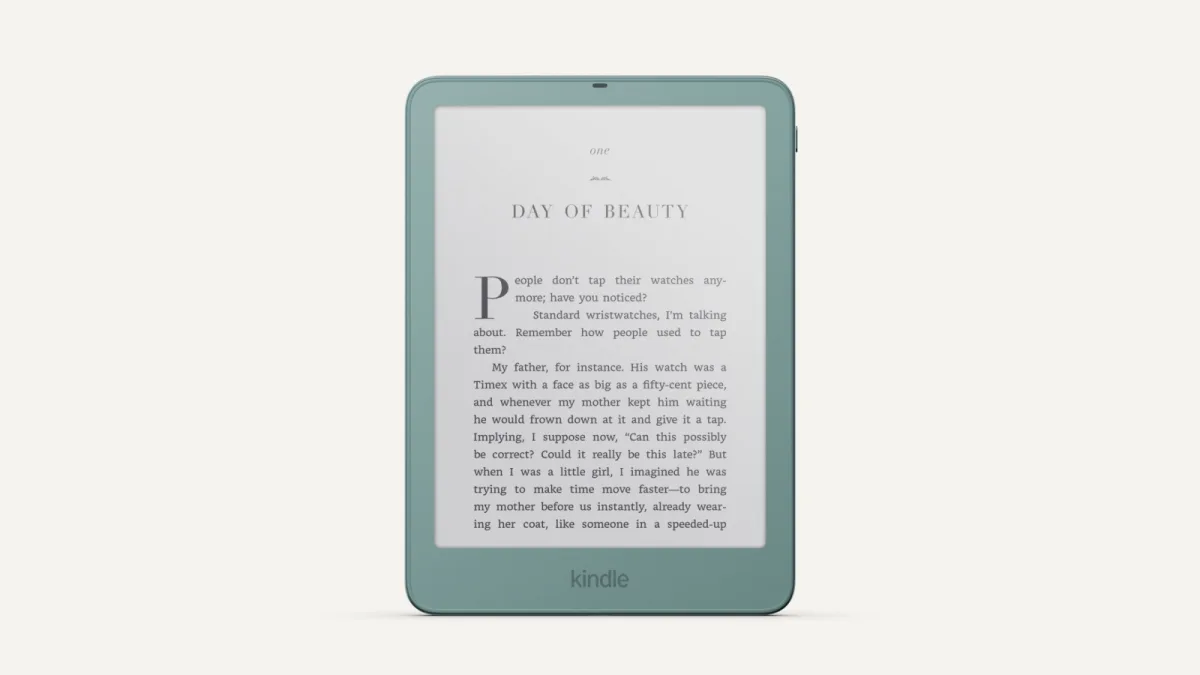
A Kindle can read library books, but only from U.S. libraries, and not on its own. You borrow in the Libby app or on your library’s website, choose to read with Kindle, and finish on Amazon, which delivers the book to your Kindle.
Returning early also goes through Amazon: Libby can’t return Kindle loans itself, so you return them on Amazon’s Your Books page or from the book’s menu on the Kindle. If most of your books come from Amazon anyway, the 7-inch Paperwhite ($199.99) is still a great reader. Our Kindle vs Kindle Paperwhite comparison covers the cheaper Kindle too.
Android
4. BOOX Palma 2 Pro: best for Libby audiobooks and magazines
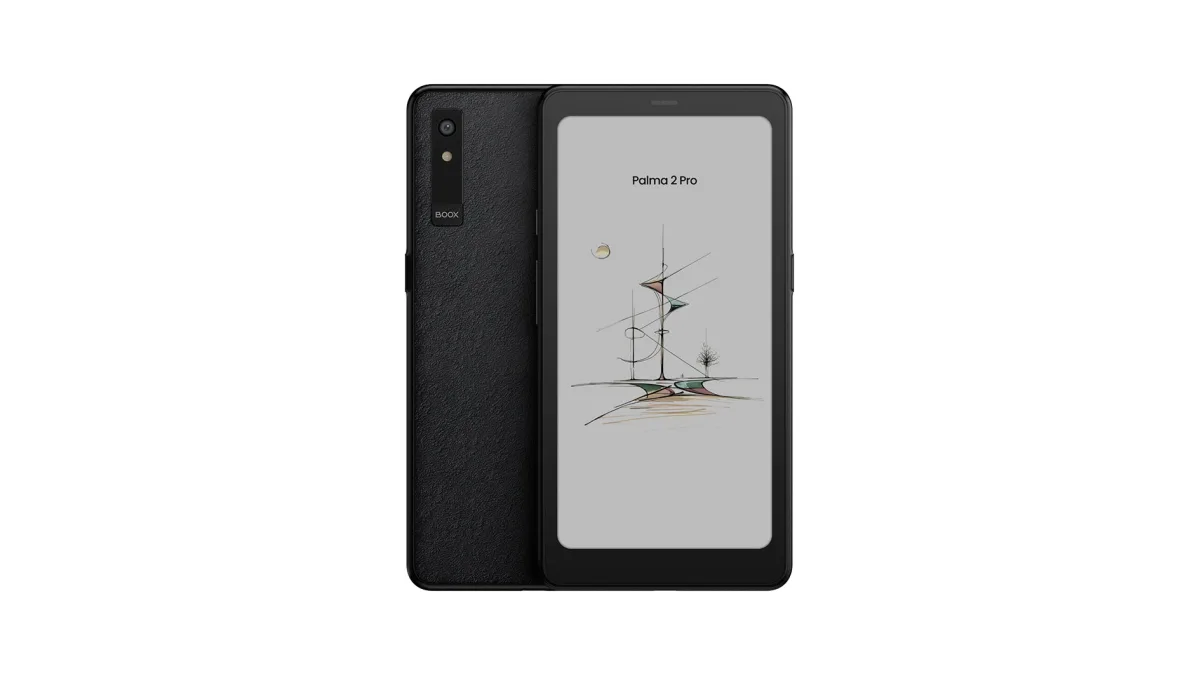
Kobo and Kindle can’t play library audiobooks, and Kobo can’t open Libby magazines. The BOOX Palma 2 Pro runs Android 15 and supports third-party apps. Libby’s Android app needs Android 7.1 or later, so you can install the full Libby app, with ebooks, audiobooks and magazines, plus other library apps.
It’s a phone-shaped reader with a 6.13-inch color E Ink screen, 128GB of storage, Bluetooth and a built-in speaker. Libby is built for phones and tablets rather than E Ink, so this route suits readers who are happy to set up an Android device. It costs $399.99. Our Kindle vs Kobo vs Boox comparison explains the trade-offs of an Android reader.
PocketBook
5. PocketBook Verse Pro Color: a Libby app on a non-Kobo reader
PocketBook now has its own Libby app, PocketBook x Libby, on its readers with firmware 6.10 or later. For the Verse Pro Color, PocketBook added it in firmware 6.10.2544, released December 1, 2025. You sign in with your library card by scanning a QR code, then borrow, place holds and return early on the reader.
Most ebooks download for offline reading, but some only open online in the app. Library audiobooks play online only for now; PocketBook says downloads are planned. You may also need to add an Adobe account to the reader. The Verse Pro Color has a 6-inch color E Ink screen, IPX8 waterproofing and Bluetooth audio, and costs $185.00.
Step by step
How borrowing works on each
Kobo
- On the Kobo, sign in with your library card in the library (OverDrive) settings.
- Browse your library under Discover, then borrow or place a hold.
- Or borrow in the Libby app on your phone, then sync the Kobo over Wi-Fi to download the loan.
Kindle (U.S. only)
- Borrow the ebook in the Libby app or on your library’s website.
- Choose Read With, then Kindle, and confirm on Amazon.
- Sync your Kindle over Wi-Fi; to return early, use Amazon’s Your Books page or the Kindle.
Older Kobos, NOOK and other Adobe-compatible readers
- Install Adobe Digital Editions on a computer.
- At libbyapp.com, open the loan and choose Read With, then Other Options, then EPUB or PDF. Format options vary by book.
- Open the file in Adobe Digital Editions and transfer it to your e-reader over USB.
Limits
What Libby can’t do on an e-reader
- No library audiobooks on Kobo or Kindle. OverDrive says listening on either isn’t supported. You need the Libby app on a phone, tablet or Android e-reader.
- No Libby magazines on Kobo. Libby says magazines, like audiobooks, aren’t supported on Kobo devices.
- Not every ebook syncs to a Kobo. Libby says some ebooks aren’t compatible with Kobo. Owners quote Kobo support as saying a book needs the same ISBN-13 and publication date as in Kobo’s store, and report that some public-domain titles don’t sync.
- Holds stay in the library section. On a Kobo, holds don’t appear in your library; they’re listed under Discover > OverDrive until they’re ready.
- Kindle is U.S. only. Outside the U.S., choose a Kobo, a PocketBook or an Android reader.
Verdict
Which should you buy?
- You borrow most of your books: the Kobo Clara BW. Libby is built in, and it’s the least expensive Kobo we track that has it.
- You want page buttons or color: the Kobo Libra Colour.
- You’re in the U.S. and buy from Amazon too: the Kindle Paperwhite. Library books work, with an extra step through Amazon.
- You want library audiobooks or magazines on E Ink: the BOOX Palma 2 Pro, which runs the full Libby app.
- You read in the bath: the Kobos, the Paperwhite and the PocketBook are all waterproof; Amazon’s listing for the Palma 2 Pro doesn’t mention waterproofing. Our waterproof e-readers guide has more.
Kobo Clara BW
Why buy it
- Libby built in: borrow on the reader
- Works with libraries in 14 countries
- Least expensive Kobo we track with Libby
- IPX8 waterproof, no ads
Why not
- One library card at a time on the reader
- No library audiobooks or magazines
- Some Libby ebooks don’t sync
- 6-inch screen fits less text
Kobo Libra Colour
Why buy it
- Libby built in
- Page-turn buttons and a 7-inch screen
- Color for picture books and comics
- 32GB, IPX8 waterproof
Why not
- Costs more than the Clara BW
- Color screen is less sharp for plain text
- No library audiobooks or magazines
Still deciding? Our guide to the best e-readers of 2026 covers every category, and Kindle Paperwhite vs Kobo Clara BW compares the two most popular picks head to head.
FAQs
What is the best e-reader for library books?
Can you use Libby on a Kindle outside the U.S.?
Which Kobo e-readers have Libby built in?
Can you borrow library audiobooks on a Kobo or Kindle?
Why didn't my Libby book appear on my Kobo?
Is Libby free?
Sources (17)
- Libby and OverDrive: Reading Libby ebooks on a Kobo ereader, Kindle ereaders (U.S. libraries only), Returning Kindle Books, Can I transfer books to an ereader from Libby?, Transferring ebooks with Adobe Digital Editions, Audiobooks on Kindle or Kobo ereaders, Libby supported devices
- Kobo: Libby: Common questions (models and countries)
- PocketBook: FAQ PocketBook x Libby, Verse Pro Color firmware 6.10.2544 release notes
- Amazon listings: Kobo Clara BW, Kobo Libra Colour, Kindle Paperwhite (2026), BOOX Palma 2 Pro, PocketBook Verse Pro Color
- Owners (MobileRead): Kobo + OverDrive with multiple libraries, Will Libby loans populate on a Kobo?